Choose and record
Practice a selected word using a compatible microphone. Supported activities record the attempt for assessment.
THE TECHNOLOGY BEHIND THE PRACTICE
Camera-guided tongue exercises, speech pronunciation practice, personalized homework, and therapist review—connected in one platform, with clear boundaries around what the technology can do.
01 / CAMERA-BASED PRACTICE
The camera helps recognize selected tongue positions and movement directions during supported exercises. Rather than only watching a demonstration, the patient can receive feedback as they practice.
Not every exercise uses camera tracking. The camera cannot verify hidden tongue contact, measure tongue pressure or muscle strength, or clinically validate placement.
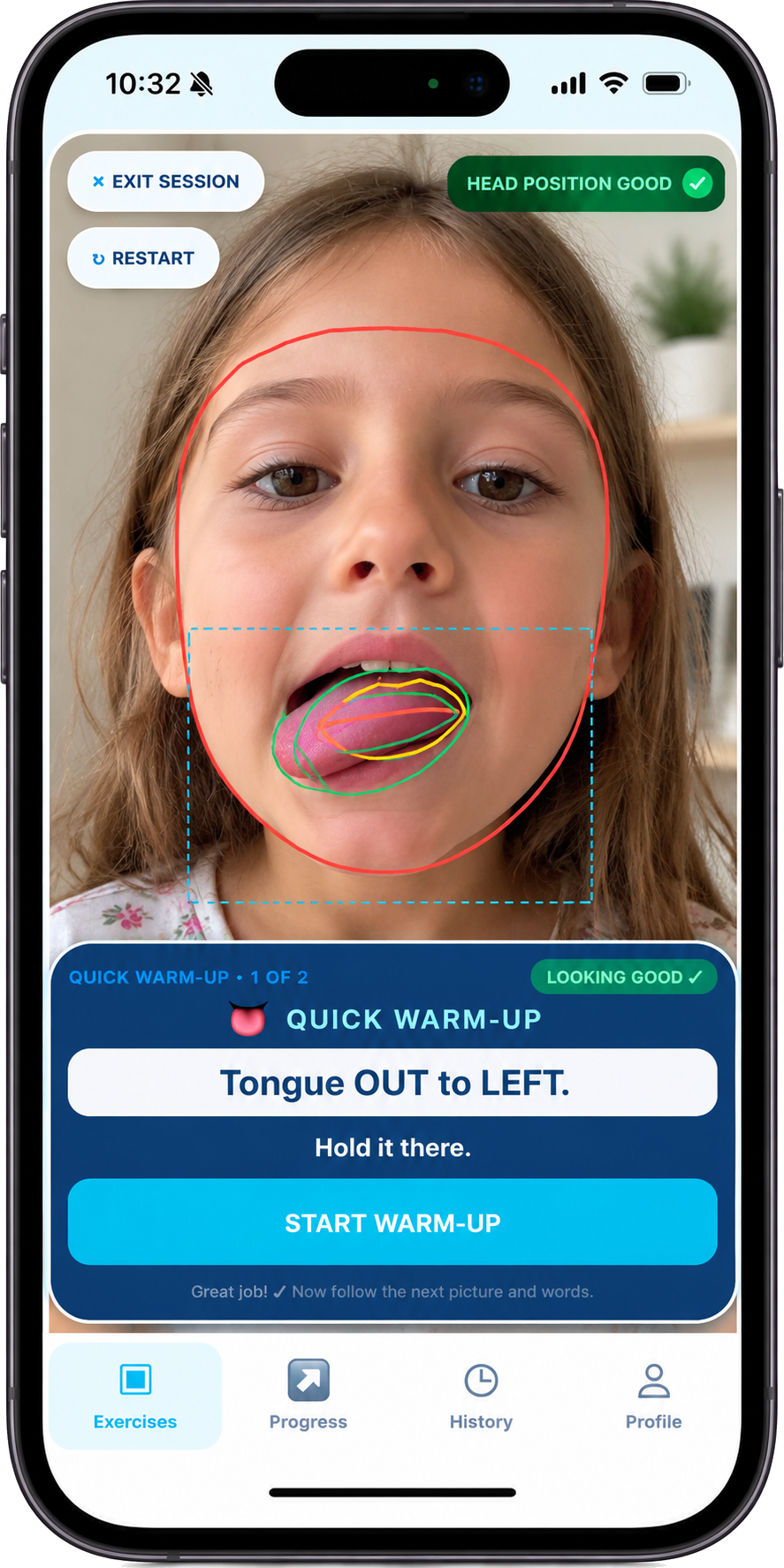
LOOK INSIDE THE EXPERIENCE
Explore the supported workflows and the limits that matter for each one.
For selected tongue exercises, camera input helps interpret the visible tongue position or movement needed by that activity. Exercise rules use the supported signals to provide guidance, repetition counts, or hold feedback.
02 / AUDIO-BASED SPEECH PRACTICE
Speech pronunciation assessment is integrated through Azure Speech in supported word-practice workflows. The automated scoring remains experimental.
Practice a selected word using a compatible microphone. Supported activities record the attempt for assessment.
The integration can return recognized text, a word pronunciation score, and phoneme details when the service provides them.
Saved attempts and available recordings can help the therapist understand practice. Automated results require professional interpretation.
Automated speech scores are practice feedback, not clinical diagnoses. A high word score does not verify the intended target sound, exact tongue placement, or a treatment outcome. Not every speech target or activity has automated scoring.
03 / VERIFIED PRACTICE INVENTORY
Speech targets and movement exercises serve different purposes. Camera recognition and pronunciation assessment apply only where supported.
The catalog includes single-sound targets, blends, and vocalic R. These are practice targets, rather than 49 distinct phonemes or a guarantee of scoring for every target.
Available words and word positions vary by target. No new targets or word lists are invented for this page.
The listed core and newer exercises include:
The inventory also contains 8 experimental entries, including tongue-controlled game prototypes, and 2 coming-soon tongue-shape entries. These are not presented as generally available, validated exercises.
04 / FROM THE THERAPIST’S PLAN TO HOME PRACTICE
Homework connects the patient’s practice routine with the therapist’s next decision.
Therapists select exercises or supported speech practice, prescribe repetitions or hold times, and schedule homework.
Patients open assigned work, follow supported activities, and save attempts or completion information where available.
Therapists inspect submitted work, available speech audio, completion status, and practice records to guide follow-up.
05 / RECORDINGS, SUBMISSIONS & REVIEW
Audio recordings, movement data, and playable video are different kinds of records.
Supported speech attempts can save an audio recording alongside assessment details. Therapists can play available recordings from submitted speech homework.
Recordings are accessed through permission-controlled storage and temporary signed links. A recording may be unavailable if it was not saved or an upload failed.
The camera’s live exercise preview and saved movement measurements are not the same as an uploaded, playable patient video.
Exercise-video submission and therapist playback require separate availability confirmation. This page does not advertise a generally available video-review workflow or use an illustration as proof that it works.
Availability statements describe inspected application workflows. They do not certify production configuration or clinical effectiveness.
Keep exploring the original website, or join the launch notification list.